Messages
Every reminder, booking update and notice from your instructor in one feed.
Messages in the app, step by step
Filmed in the live app, at your own pace. Use the player controls to pause, replay or go full screen.
Good to know
- Messages also arrive as push notifications, so you do not have to open the app to see them.
- Notifications are only as good as your phone settings. Make sure notifications are allowed for Driving Instructor Manager.
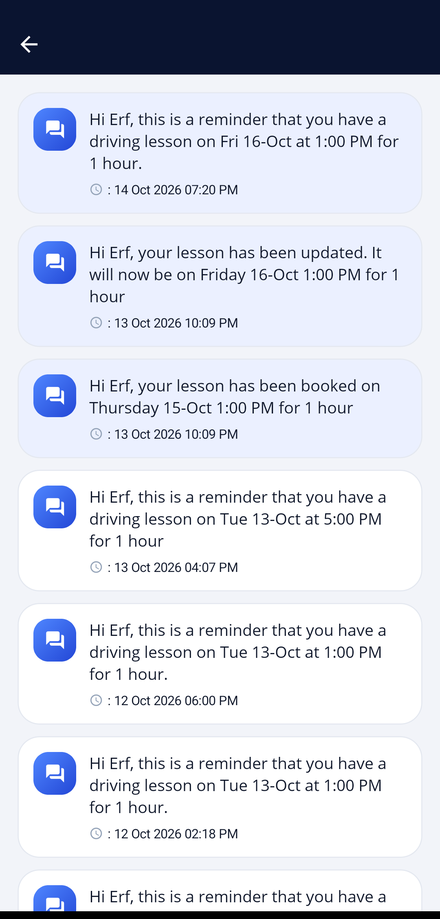
Messages collects everything your instructor sends you. Lesson reminders, booking confirmations, changes and school-wide notices all arrive here.
-
Open Messages
Tap the Messages tile on your dashboard. The badge on the tile shows how many unread messages you have.
-
Read the feed
Each message shows what it is about and the date and time it was sent, newest first.
-
Act on a reminder
Lesson reminders give you the date, the time and how long the lesson will last. Check them the evening before so nothing catches you out.
-
Watch for broadcasts
Your instructor can message every student at once. Weather warnings and timetable changes arrive this way.