Your Details
Your contact details, address and invite code, plus the tabs that hold your progress.
Your Details in the app, step by step
Filmed in the live app, at your own pace. Use the player controls to pause, replay or go full screen.
Good to know
- Keep your phone number up to date. It is how your instructor reaches you about lessons.
- Your invite code is what connects you to your instructor's school. Do not share it with anyone else.
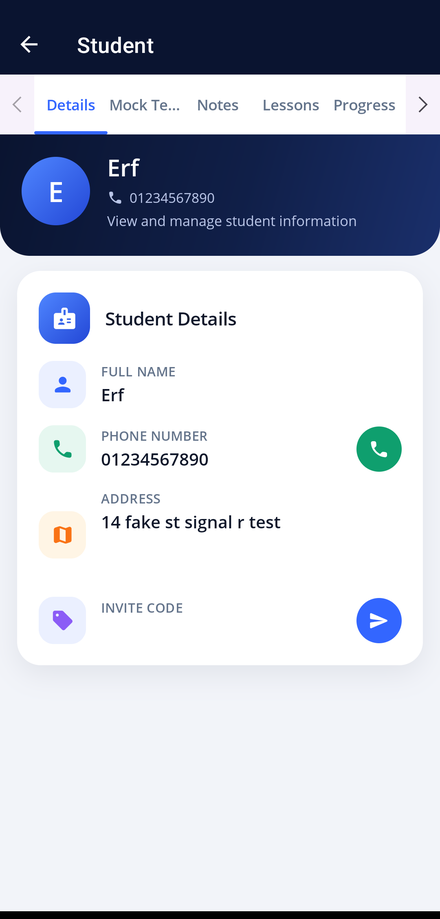
Your Details screen is your own record in the app. It holds the information your instructor needs, and the tabs that show your lessons, notes and progress.
-
Open the app
Launch Driving Instructor Manager and sign in with your student account.
-
Tap My Details
My Details is the first tile on your Student Dashboard.
-
Check your information
The Details tab shows your full name, phone number, address and your invite code. Tell your instructor if anything needs changing.
-
Use the record tabs
Mock Tests holds your mock test results, Notes holds the feedback your instructor wrote after each lesson, Lessons lists every lesson you have had, and Progress shows how far through your training you are.
-
Call your instructor
Tap the call button beside your instructor's number on the dashboard to ring them directly.