Web Portal
The same account on a bigger screen, with automatic single sign-on.
Watch the walkthrough
Web Portal in the app, step by step
Filmed in the live app, at your own pace. Use the player controls to pause, replay or go full screen.
Good to know
- There is no second account and no second password. The portal uses the same credentials as the app.
- Changes made in the portal appear on your phone and on any other device you are signed in on.
How to use it
The Web Portal gives you the whole app in a desktop browser. Your lessons, students and records are all there, kept in step with your phone.
-
Open Web Portal
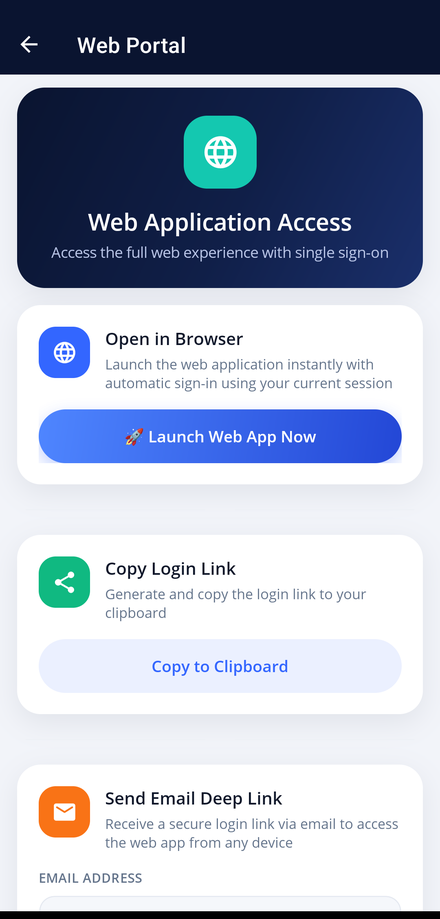
Tap the Web Portal tile on your dashboard.
-
Launch it in your browser
Tap Launch Web App Now to open the portal in your phone's browser, signed in automatically with your current session.
-
Copy a login link
Tap Copy to Clipboard to copy a full login link you can paste into a desktop browser.
-
Send yourself a link by email
Enter an email address in the Send Email Deep Link section and a secure login link is emailed to you, ready to open on any computer.