In-App Feedback
Tell the team what is working and what is not, straight from inside the app.
In-App Feedback in the app, step by step
Filmed in the live app, at your own pace. Use the player controls to pause, replay or go full screen.
Good to know
- Feature requests are welcome. If something would make your working day easier, say so.
- Quoting the screen you were using helps the team find the problem faster.
The Feedback screen is a direct line to the team that builds the app. It takes about a minute to use and every submission is read.
-
Open Feedback
Tap the Feedback tile on your dashboard.
-
Confirm your details
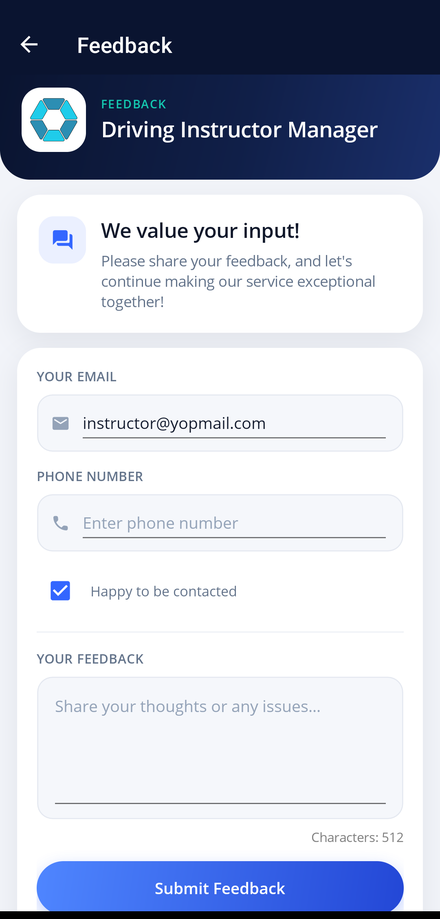
Your email address is filled in from your account. Add a phone number if you would rather be contacted by phone.
-
Choose whether we may contact you
Leave the Happy to be contacted box ticked if the team may follow up, or clear it to send your feedback anonymously.
-
Write your feedback
Type into Your Feedback and describe the problem, the suggestion or the idea as clearly as you can. The counter below the box tracks how much of the 512 characters you have used.
-
Send it
Tap Submit Feedback. A green bar slides in reading We have received your feedback. Thank you! once your message is on its way. The box then clears so you can send another.