Expenses
Record your business costs as they happen and export a clean summary whenever you need one.
Expenses in the app, step by step
Filmed in the live app, at your own pace. Use the player controls to pause, replay or go full screen.
Good to know
- Record fuel, insurance, servicing and test day costs as they happen rather than in one rush at the end of the tax year.
- Use the date range boxes to pull out any single month or quarter on its own.
Expenses keeps your running costs separate from the money you take, so you always know what you are really earning.
-
Open Expenses
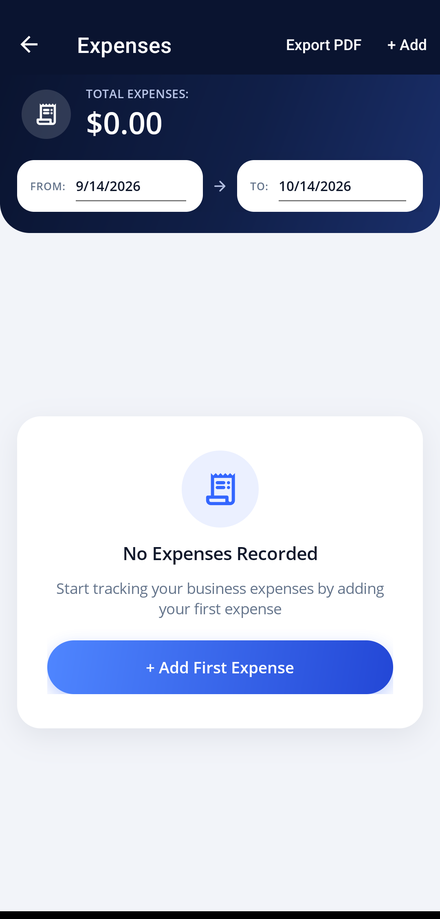
Tap the Expenses tile on your dashboard. Your total for the selected period is shown at the top.
-
Set the date range
Use the From and To boxes to choose the period you want to see. The total updates to match.
-
Add your first expense
Tap + Add First Expense, or the Add button in the header once you have some recorded.
-
Record the details
Enter the amount, the date and what the cost was for, then save it.
-
Export the list
Tap Export PDF to produce a dated summary of the period, ready for your accountant. The report opens in the phone's share sheet, so you can print it, save it to your cloud storage or send it straight on.